Direct Remote ID
The Remote ID Pros Direct Remote Identification transmission can be viewed on smartphones or tablets Apps, such as the OpenDroneID app.
Soon after the Remote ID Pro has been turned on, it can be seen. It takes the Remote ID Pro approximately 1 minute to get a GPS (GNSS) connection and estimate its location if the Remote ID Pro is placed outside with a good view of the sky and satellites.
Be aware that the UAS ID- and Operator ID might take some time before it is received by your smartphone or tablet.
The UAS ID: AirPlate1696F1234567
The Operator ID: DNK87astrdge12k8
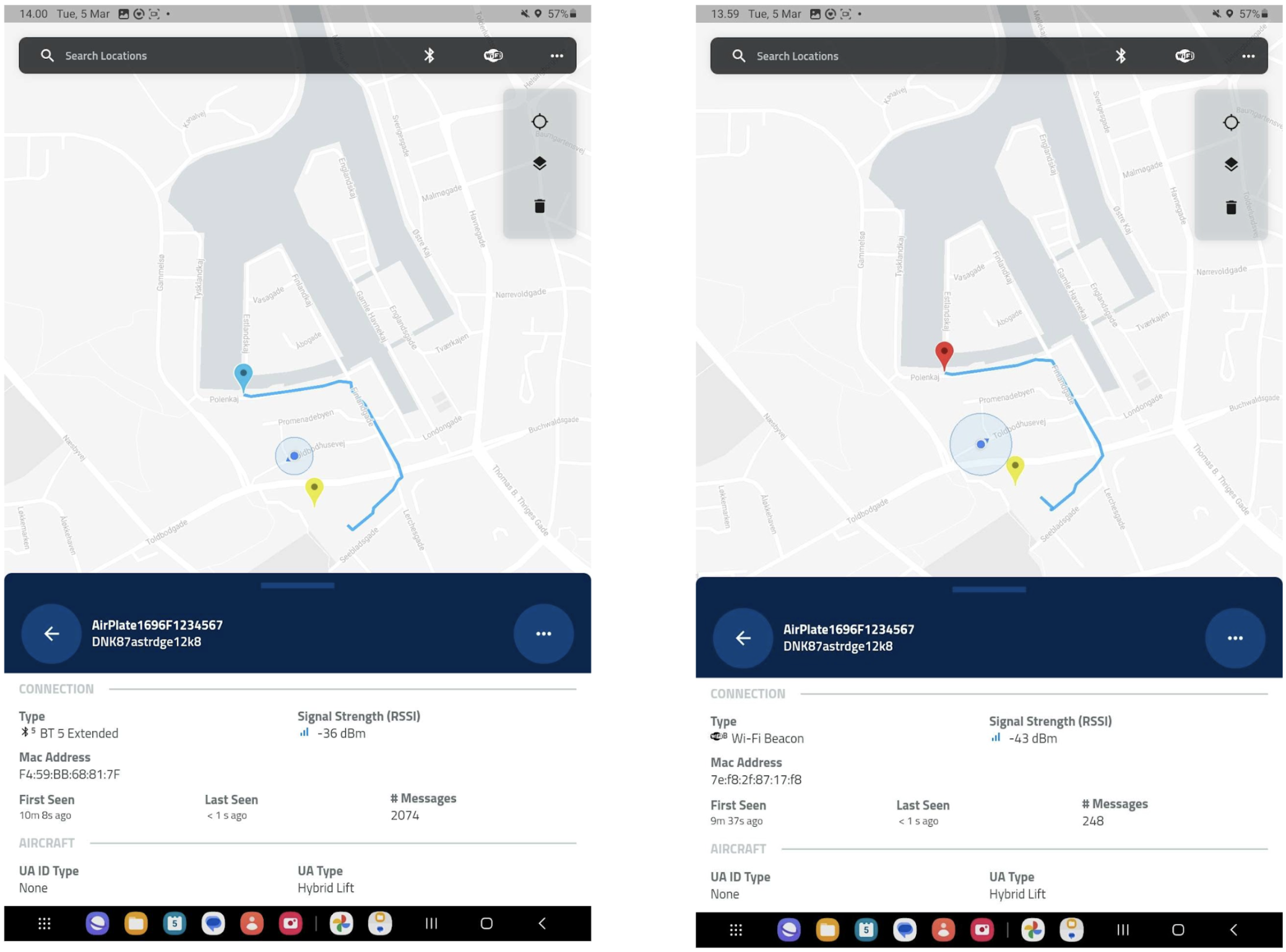
See Remote ID Pro in action: The video below demonstrates how the Remote ID Pro appears in real time within the drone scanner app, following the device as it broadcasts its Direct Remote Identification signal. It shows how the Remote ID Pro can be detected and tracked live on a smartphone or tablet once the device is active.
The Remote ID Pro can be seen on a DroneScanner App through its Bluetooth 5 and WIFI transmission.
Download the OpenDroneID app on Android
Download the DroneScanner app for iOS