Troubleshooting
Why isn't my Remote ID Pro showing the correct GPS position?
This can happen if you turn on your Remote ID Pro indoors or if the Remote ID Pro has an obstructed view of the sky.
To fix this please place the Remote ID Pro outside with a good view of the sky with no obstructions of the satellites. When the Remote ID Pro should gain a GPS position within approximately 1 - 1,5 minutes.
Why can’t I see the WiFi signal for Direct Remote Identification on my iOS device?
All iOS products can only receive Bluetooth 4 Legacy, due to the restrictions by Apple.
Only some Android devices support receiving Direct Remote Identification through WiFi.
Why does the Remote ID Pro show nothing as the Operator ID?
This happens if the Operator ID has never been set up or it was entered incorrectly.
To fix this issue navigate to the section 2.4 Configuration and follow the steps in 2.4.1 - Setup/edit Operator ID.
Why does the Remote ID Pro not transmit my drone’s serial number?
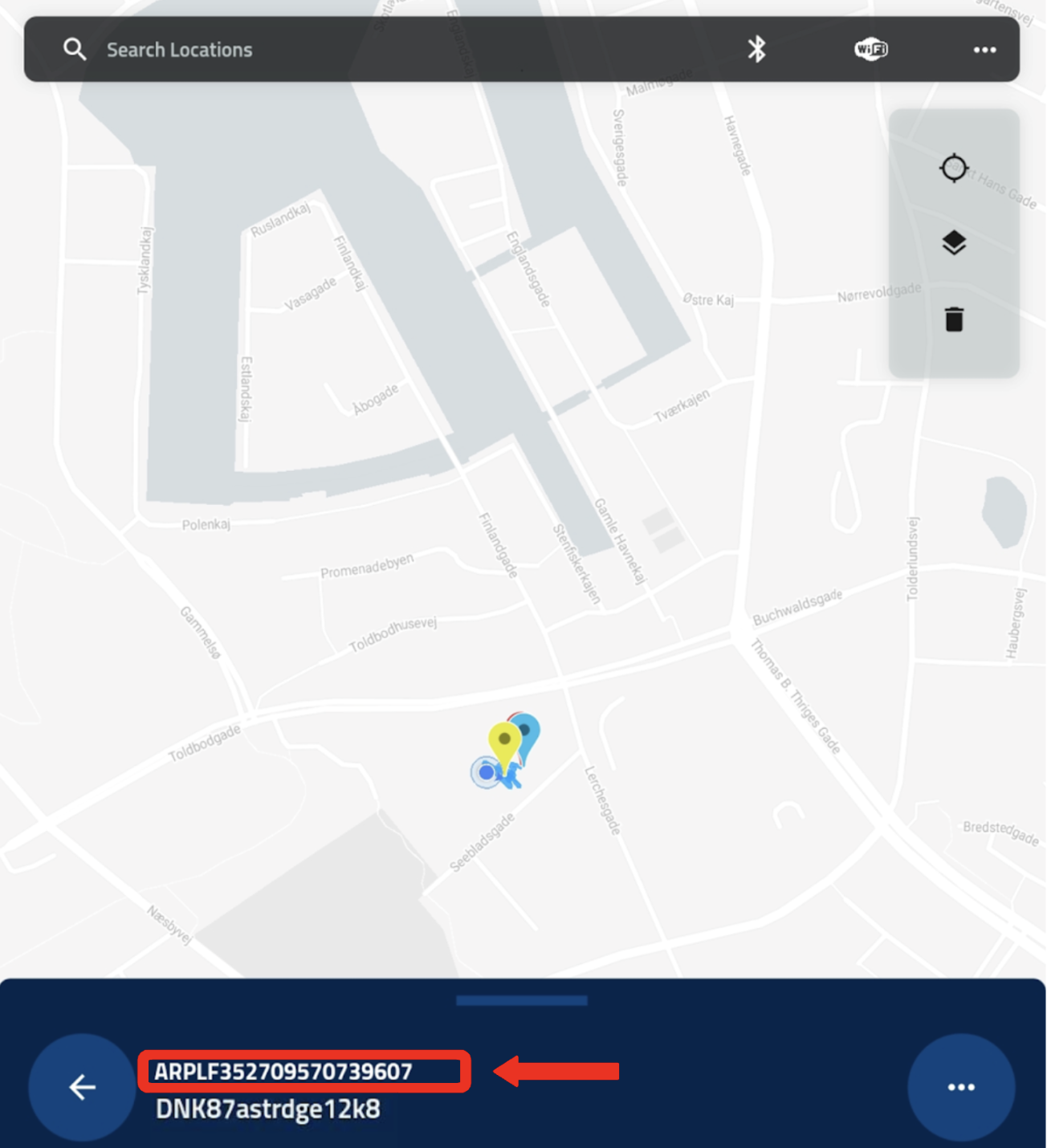
This happens if no drone has been attached to the Remote ID Pro in the Configuration page, as exemplified in the image below:
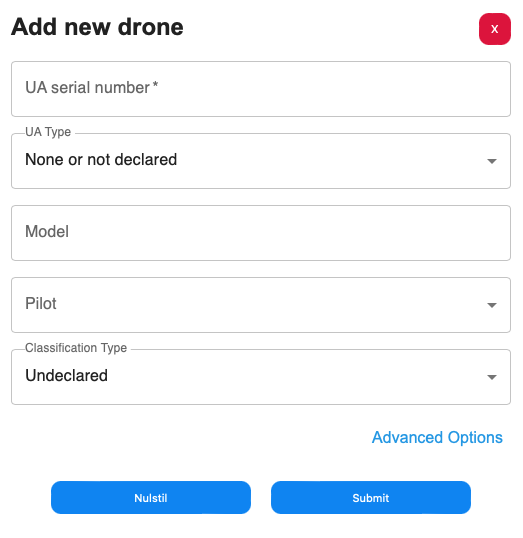
To fix this issue navigate to the section 2.4 Configuration and make sure your drone is added in the Drone-tab as described in section 2.4.2 - Adding and editing an Remote ID Pro, pilot or drone - Add new drone. The UA serial number you write here is the same number that will be transmitted for Direct Remote Identification. Click submit when you are finished with adding information for your drone.
Afterwards navigate to the AirPlate-tab and click edit on the desired Remote ID Pro you want to configure. Choose your drone in the drop down menu UA Serial Number. As shown in the picture:
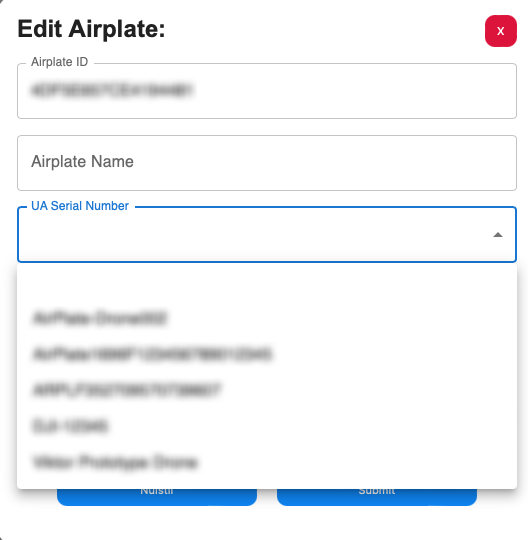
Click on the desired drone the Remote ID Pro needs to transmit.
Click submit and restart your Remote ID Pro device.
The correct serial number will now be displayed in your Direct Remote Identification app.
Remote ID Pro doesn’t turn on
Make sure you have fully charged the battery of your Remote ID Pro. Turn off and on again. If it still doesn't work, contact us.
Can’t see my history
Make sure your Remote ID Pro was visible on the AirMap during the flight. Selected dates might be wrong. Otherwise contact support.
Problems in the log in
Try “forgot password”.
My Remote ID Pro doesn’t appear in the dashboard
Make sure it is visible on the AirMap, then you know it has a connection. Otherwise make sure it is added to your account. If the problem remains, contact support.